

GD9
 IN YOUR
POCKET.
IN YOUR
POCKET.
Download the GD9 Android app and install it in five easy steps.
DOWNLOAD GD9 APKAndroid APK · Direct link to gd9.com
View app preview

Install GD9 in 5 Steps
On your phone, tap a step to see its screenshot.
Download APK
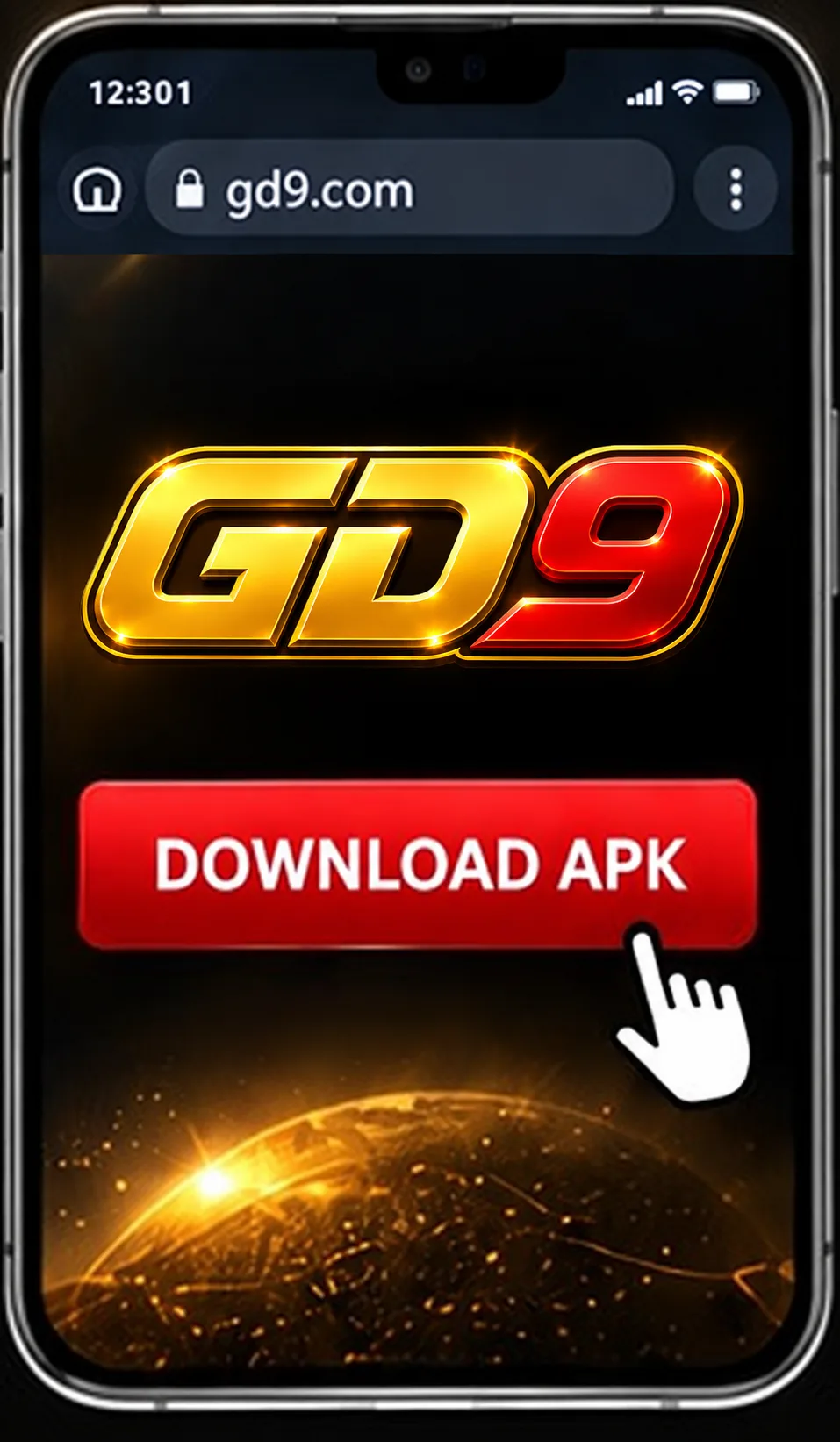
Tap the download button to save the official APK.
Open the File
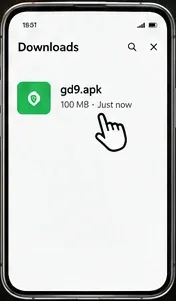
Open Downloads and tap gd9.apk.
Review Permission
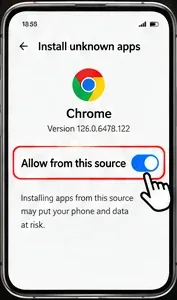
If requested, review "Allow from this source".
Install GD9
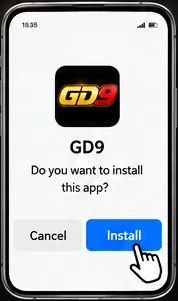
Check the installation details and tap Install.
Open the App

Tap Open to launch GD9.
1 Download APK Tap the download button to save the APK. ⌄
Tap the download button to save the official APK.
2 Open the File Open Downloads and tap gd9.apk. ⌄
Open Downloads and tap gd9.apk.
3 Review Permission Review the installation-source permission. ⌄
If requested, review "Allow from this source".
4 Install GD9 Review the prompt and tap Install. ⌄
Check the installation details and tap Install.
5 Open the App Tap Open to launch GD9. ⌄
Tap Open to launch GD9.
Security Reminder: Only install apps you trust. Read Android security warnings and verify the file if it is flagged as harmful. Do not bypass harmful-app warnings. Screens can vary by device.
Need Help?
Solutions to common installation questions.
Can't find gd9.apk?
Check your browser downloads or Files → Downloads.
Permission not showing?
Search Android Settings for "Install unknown apps". The location varies by phone.
Installation blocked?
Read the warning before proceeding. Contact GD9 for verification if Android reports a harmful app.